A search for a Fintwist question can lead to a Comdata page that is official but written for someone else. The important test is not only “Who published this?” It is also “Whose job is this page describing?” On a shared computer, confusing those questions can turn a simple reading visit into a frustrating hunt for menus you were never meant to use.
Look for the actor in the instructions
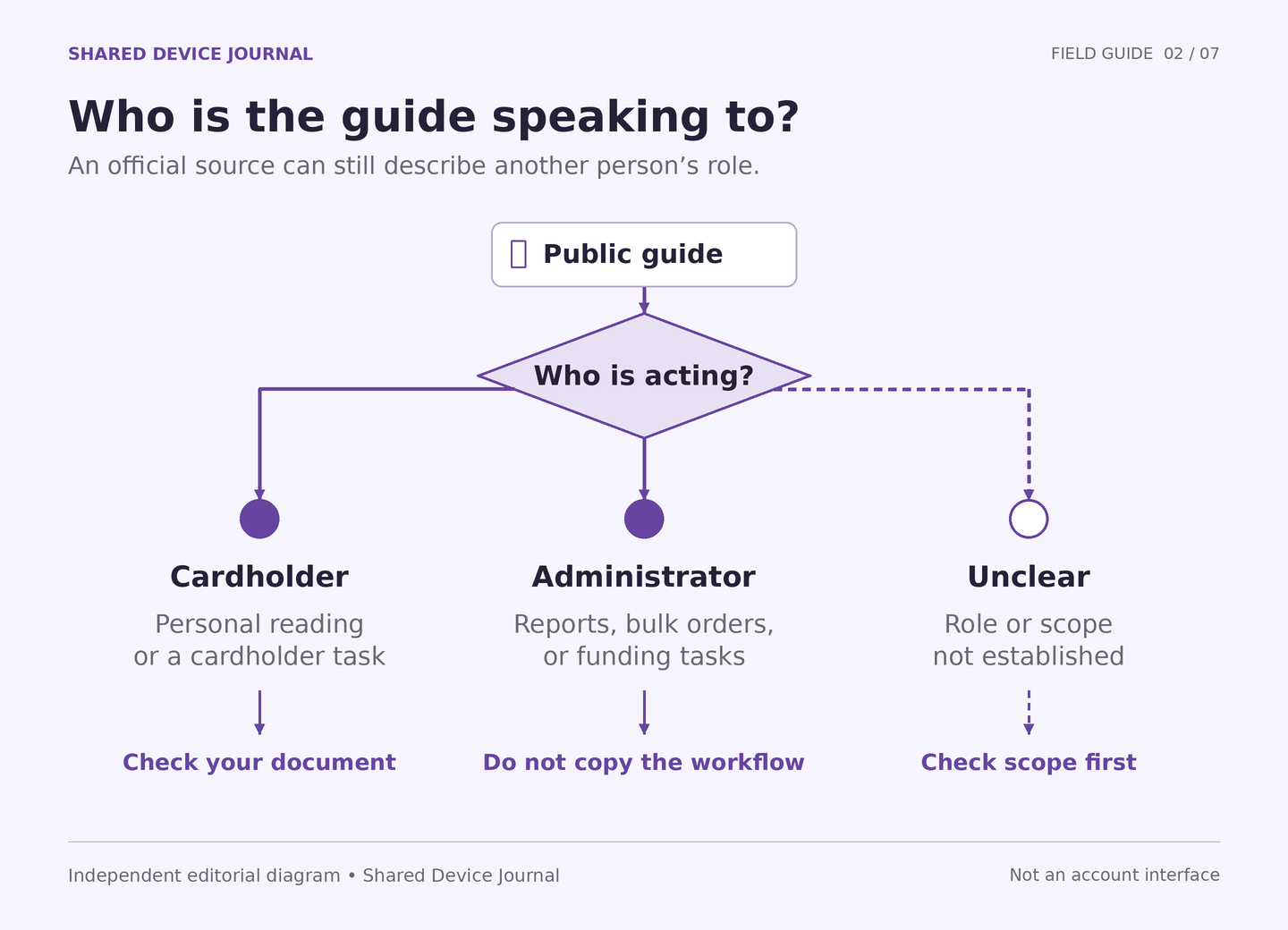
The Comdata Fintwist resource center (external source) places administrator topics such as creating cardholders and running reports alongside cardholder quick references. This mixed audience is the reason to pause. An instruction can be genuine without being a step that a cardholder can or should perform.
Read the first action as a sentence with a person attached. “An administrator creates a cardholder” identifies a different role from “A cardholder reads a notice.” Look for the result as well: a report covering multiple people, a bulk order, or a funding task signals organizational administration. A public title about an individual cardholder experience may be closer to your question, but still needs a scope and date check.
Work through the wrong-guide problem
Fictional reader Noah wants a clearer explanation of a payment-related term. He finds a public question about verifying that money was received. The instructions discuss an administrator’s records. Noah initially assumes he must locate the same menus on his own account. A helper suggests trying several different sites.
The better next step is to rewrite the question: “This page shows how an administrator checks an organizational record. Which official source explains what I, as a cardholder, should do?” Noah saves the public title as background and returns to the resource list. He does not ask an employer to share an administrator account, install a different app, or enter card information into an unrelated form to reproduce the example.
This distinction also changes what the helper can contribute. The helper can identify the nouns and verbs that reveal the audience. The helper cannot create permission to perform an organizational action. Use the helper-role agreement if the reading session starts expanding beyond explanation.
Use a three-label margin note
For each guide, write “Actor,” “Task,” and “Applies to me?” Answer the first two from the page. Leave the third as uncertain when the page does not establish it. That short note prevents the source’s official status from silently becoming a personal entitlement or an instruction to act.
A page’s update label also needs care. It may describe maintenance of the page, while individual questions or linked documents carry other dates. Avoid assuming every screenshot or menu label has been tested for your present account. This journal does not use those older examples as a current interface tutorial.
Add only the relevant source to your public reading packet. If the answer depends on your particular account rather than the reader’s role, move to the private-task boundary. You can leave a shared computer with the correct question even when it cannot provide the individual answer.
Sources and scope
- External official source: Comdata Fintwist resource center — Mixed administrator guidance and cardholder quick references. Checked 2026-10-04.