A library terminal can be useful for understanding payment information even when it is a poor place to handle personal records. The most productive visit starts with a question small enough to answer without opening an account. “What would I need to read an electronic notice?” is workable. “Sort out everything about my card” makes it easy to drift into private tasks, unfinished downloads, and hurried decisions.
The current provider home page (external source) identifies Fintwist as Corpay Prepaid. That gives you a public starting point when your older paperwork uses the Fintwist name. It does not establish which document applies to your card. This visit plan is an independent reading method, not a provider procedure or a device-security assessment.
Define a result you can carry away
Write one sentence before you sit down: “At the end of this visit, I want to know where the official paper-copy instructions are.” The result is a source location and a question you can ask later. You do not need a statement, a card photograph, or a payment amount to achieve it. A blank sheet with three headings, Question, Public source, Next step, is enough.
In a fictional example, Maya has twenty-five minutes before her bus. A coworker mentioned that notices might arrive electronically. Maya wants to understand whether borrowing a computer once would be enough. She decides to find the public consent document, read its equipment and recordkeeping sections, and take home the document title. She will review her own applicable terms later. This is a realistic finish line even if the terminal cannot download files.
Keep the planned output modest. A full folder of vaguely relevant PDFs creates another sorting job. A good result might be two source titles, one unanswered question, and a note that a larger screen was useful. The public reading packet method helps when you genuinely need several documents.
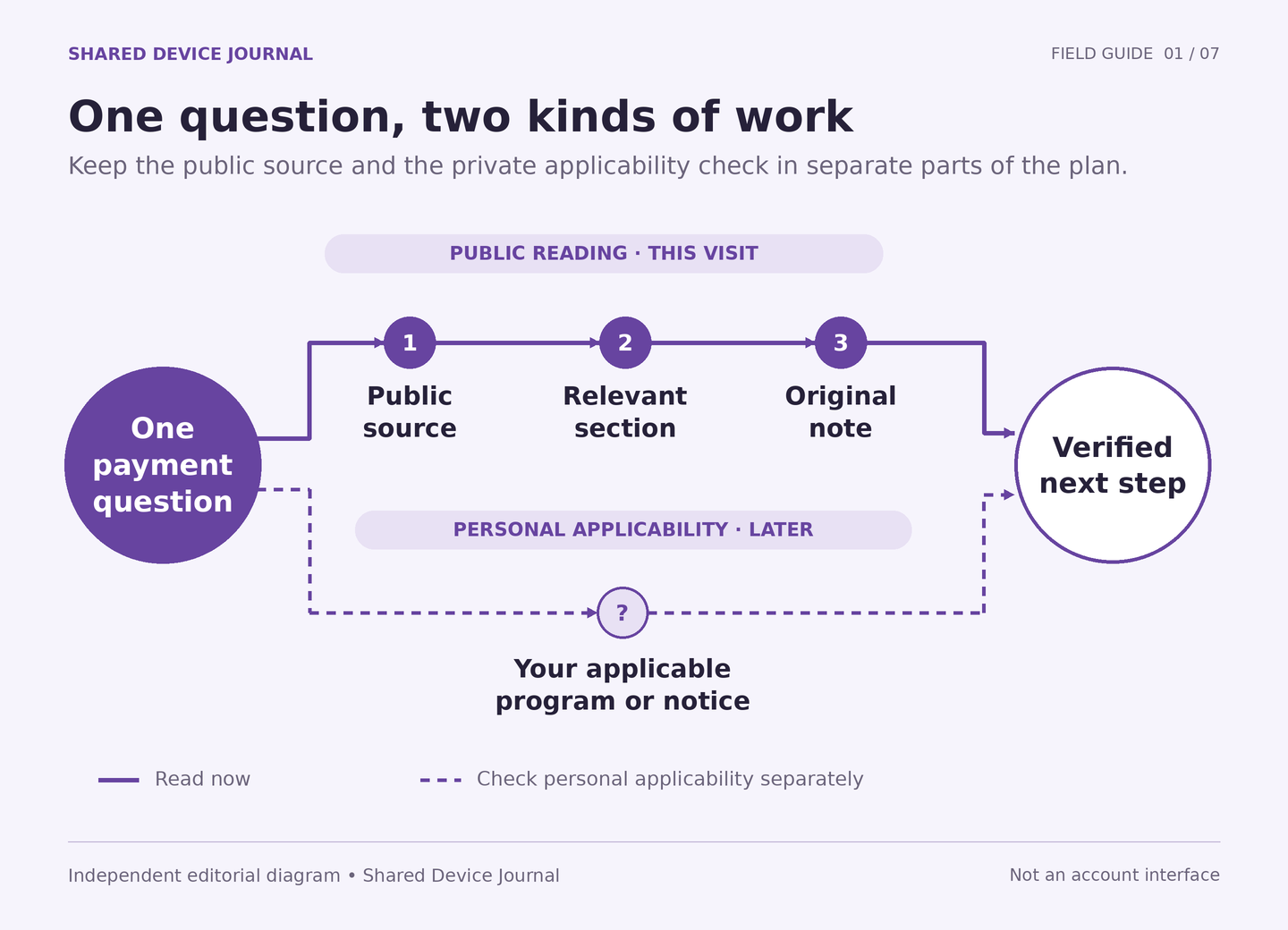
Separate the reading task from its private follow-up
Draw a line across your note. Above it, write what public pages can answer: the document name, the organization that published it, its intended reader, and the stated instructions. Below it, write what still needs your own records: which issuer is on your card, which notice you received, and whether an action is required for your situation. Keep those answers off the shared computer until you have a suitable private route.
This distinction uses the idea of collecting only what a task needs. NIST describes minimization (external source) as limiting personal-information handling to its purpose. Applying that idea here is our editorial recommendation, not a NIST-approved payment workflow. A research question usually needs fewer details than an account inquiry.
Maya’s first public page discusses several product features. She notices that her original question concerns notice delivery, so she does not investigate transfers or app setup. She also declines to type her email address into a general website form. Nothing about her reading goal requires the site to identify her. If she encounters an unexpected account prompt, she returns to the public resource rather than converting the visit into an account session.
Make the terminal’s limits part of the plan
Ask the venue practical questions before you need the answers. Is there a time limit? Can a public PDF be viewed? Does printing go to a shared collection tray? May visitors save a file to removable storage? These are questions about the venue’s service. Staff do not need to see your payment documents to answer them. Do not install software, change managed settings, or connect storage against the venue’s rules.
A ten-minute limit changes the task. You might read the public resource list and write down one title, saving the detailed reading for later. A printer across a busy room may make a source note preferable to a personal-document printout. An unreadable PDF is a reason to record the obstacle, not to accept terms you could not read. See how to split work between a phone and a terminal when the equipment does not fit the job.
Reserve the final few minutes for gathering the result. That buffer is a planning choice, not a claim about any terminal’s automatic reset. Bring a pen if you can; a handwritten public title can be more useful than opening another account solely to send yourself a link.
Finish with an answer, a limit, and a next action
- Answer: What did the public document actually explain?
- Limit: What did you not establish about your own card or notice?
- Next action: What can you do later, on which device or through which verified channel?
Maya’s completed note says that the public consent document includes equipment and retention sections; that she has not checked whether this exact issuer’s document governs her card; and that she will review the relevant paperwork at home before making a choice. She has learned something concrete without treating public browsing as account verification.
If time runs out, record where you stopped. A partial answer with its source is worth keeping. An unsupported conclusion is not improved by the fact that a session is ending. Use the unfinished-work note to preserve the next step without carrying private account details between devices.
Sources and scope
- External official source: Corpay Prepaid home — Naming update and program-specific issuer qualifications. Checked 2026-10-04.
- External official source: Corpay Prepaid resources — Public resource categories and links to provider documents. Checked 2026-10-04.
- External official source: NIST glossary: Minimization — Limit personal-information handling to what a purpose requires. Checked 2026-10-04.